 |
AR Design
UBC EML collab with UBC SALA - visualizing IoT data in AR
|
|
AR Design
UBC EML collab with UBC SALA - visualizing IoT data in AR
|
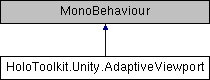
Changes the VR viewport to correlate to the requested quality, trying to maintain a steady frame rate by reducing the amount of pixels rendered. Uses the AdaptiveQuality component to respond to quality change events. At MaxQualityLevel, the viewport will be set to 1.0 and will linearly drop of to MinViewportSize at MinQualityLevel Note, that it is ok to have the quality levels in this component correlate to a subset of the levels reported from the AdaptiveQuality component More...
Protected Member Functions | |
| void | OnPreCull () |
Properties | |
| float | CurrentScale [get] |
Changes the VR viewport to correlate to the requested quality, trying to maintain a steady frame rate by reducing the amount of pixels rendered. Uses the AdaptiveQuality component to respond to quality change events. At MaxQualityLevel, the viewport will be set to 1.0 and will linearly drop of to MinViewportSize at MinQualityLevel Note, that it is ok to have the quality levels in this component correlate to a subset of the levels reported from the AdaptiveQuality component
Definition at line 15 of file AdaptiveViewport.cs.
|
protected |
Definition at line 62 of file AdaptiveViewport.cs.
|
get |
Definition at line 32 of file AdaptiveViewport.cs.
 1.8.12