 |
AR Design
UBC EML collab with UBC SALA - visualizing IoT data in AR
|
|
AR Design
UBC EML collab with UBC SALA - visualizing IoT data in AR
|
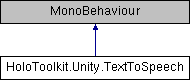
Enables text to speech using the Windows 10 SpeechSynthesizer class. More...
Public Member Functions | |
| void | SpeakSsml (string ssml) |
| Speaks the specified SSML markup using text-to-speech. More... | |
| void | StartSpeaking (string text) |
| Speaks the specified text using text-to-speech. More... | |
| bool | SpeechTextInQueue () |
| Returns info whether a text is submitted and being processed by PlaySpeech method Handy for avoiding situations when a text is submitted, but audio clip is not yet ready because the audio source isn't playing yet. Example: yield return new WaitWhile(() => textToSpeechManager.SpeechTextInQueue() || textToSpeechManager.IsSpeaking()) More... | |
| bool | IsSpeaking () |
| Returns whether or not the AudioSource is actively playing. More... | |
| void | StopSpeaking () |
| Stops text-to-speech playback. More... | |
Properties | |
| AudioSource | AudioSource [get, set] |
| Gets or sets the audio source where speech will be played. More... | |
| TextToSpeechVoice | Voice [get, set] |
| Gets or sets the voice that will be used to generate speech. More... | |
Enables text to speech using the Windows 10 SpeechSynthesizer class.
SpeechSynthesizer generates speech as a SpeechSynthesisStream. This class converts that stream into a Unity AudioClip and plays the clip using the AudioSource you supply in the inspector. This allows you to position the voice as desired in 3D space. One recommended approach is to place the AudioSource on an empty GameObject that is a child of Main Camera and position it approximately 0.6 units above the camera. This orientation will sound similar to Cortana's speech in the OS.
Definition at line 54 of file TextToSpeech.cs.
| bool HoloToolkit.Unity.TextToSpeech.IsSpeaking | ( | ) |
Returns whether or not the AudioSource is actively playing.
Definition at line 358 of file TextToSpeech.cs.
| void HoloToolkit.Unity.TextToSpeech.SpeakSsml | ( | string | ssml | ) |
Speaks the specified SSML markup using text-to-speech.
| ssml | The SSML markup to speak. |
Definition at line 307 of file TextToSpeech.cs.
| bool HoloToolkit.Unity.TextToSpeech.SpeechTextInQueue | ( | ) |
Returns info whether a text is submitted and being processed by PlaySpeech method Handy for avoiding situations when a text is submitted, but audio clip is not yet ready because the audio source isn't playing yet. Example: yield return new WaitWhile(() => textToSpeechManager.SpeechTextInQueue() || textToSpeechManager.IsSpeaking())
Definition at line 343 of file TextToSpeech.cs.
| void HoloToolkit.Unity.TextToSpeech.StartSpeaking | ( | string | text | ) |
Speaks the specified text using text-to-speech.
| text | The text to speak. |
Definition at line 324 of file TextToSpeech.cs.
| void HoloToolkit.Unity.TextToSpeech.StopSpeaking | ( | ) |
Stops text-to-speech playback.
Definition at line 371 of file TextToSpeech.cs.
|
getset |
Gets or sets the audio source where speech will be played.
Definition at line 63 of file TextToSpeech.cs.
|
getset |
Gets or sets the voice that will be used to generate speech.
Definition at line 68 of file TextToSpeech.cs.
 1.8.12